
⚡
Fast, Intuitive Logging
Log geological data quickly with a clean interface and live validation to reduce errors and ensure consistency from the start.
SGS Software
Seamlessly log, validate, and visualize your drillhole data.
Trusted by industry leaders








Solution overview
Genesis Logger is built for geologists who do not want to juggle multiple tools. Data you capture is instantly available across the entire SGS Genesis platform.
From the first drill run to the final report, Genesis Logger centralizes your data and eliminates redundant re-entry.
Connect assays, lithology, and structure data directly to your modeling workflow without switching software.
Genesis Logger is a major leap forward. Built on a clean, intuitive interface, it lets you efficiently capture and manage drillhole data within a structured, centralized database.
This is not just a standalone logging tool. As an integral part of the SGS Genesis platform, your logged data is instantly accessible for:
Genesis Logger brings together all the tools you need for efficient, accurate core logging, fully integrated and ready for real-world use.
Features
Log geological data quickly with a clean interface and live validation to reduce errors and ensure consistency from the start.
Use the default logging schema or tailor it completely. Add tables, rename fields, or structure it exactly how your project requires.
Speed up data entry and ensure consistency with editable project-specific dictionaries. No more typos or mismatched codes.
Bring in logs from CSV, Access, or previous Genesis databases. Import lab assay certificates and export with ease to CSV or Access.
Manage quality control and generate professional QAQC plots directly from your logging data.
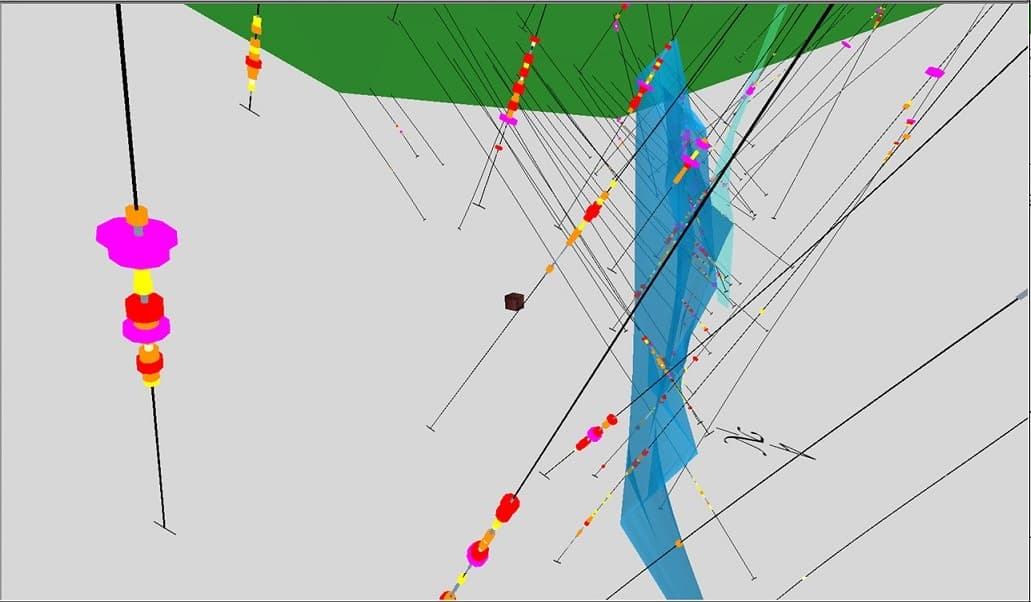
Instantly view your logged data in 3D or sectional views to validate interpretation, spot issues, and plan drilling.
Generate clean, formatted drillhole log PDFs for reporting or site use.
Validate data as you log or during import to prevent mistakes from propagating into models or reports.
Store data in Genesis format or connect to external databases like SQL Server or Access for integration with other systems.